Ortur LU3-40A Settings: 1.6 to 19 mm Rows
Ortur documents 13 speed and power settings for the LU3-40A (40W). CutChart has not tested them; it read the maker’s documents on 2026-09-21.
Diode only · safety ↓ · sources ↓
Source-documented settings for the LU3-40A (40W)
About these numbers
Manufacturer-published reference parameters, not tested by CutChart
Speed: the figure the publisher printed, in bold, with the other unit converted under it. Type the number whose unit matches the speed box in your laser software. Not sure? Convert it here.
LU3-40A (40W)
Pine
| Machine | Thickness | Material as printed | Operation | Speed | Power | Passes | Not printed by the publisher | Source |
|---|---|---|---|---|---|---|---|---|
| LU3-40A (40W) | 3 mm | Pine | cut | 700 mm/min (11.67 mm/s) | 100% | 1 |
| Ortur, read 2026-09-21. Manufacturer-published reference parameters, not tested by CutChart; reviewed 2026-09-21. |
| LU3-40A (40W) | 5 mm | Pine | cut | 500 mm/min (8.33 mm/s) | 100% | 1 |
| Ortur, read 2026-09-21. Manufacturer-published reference parameters, not tested by CutChart; reviewed 2026-09-21. |
| LU3-40A (40W) | 8 mm | Pine | cut | 300 mm/min (5 mm/s) | 100% | 1 |
| Ortur, read 2026-09-21. Manufacturer-published reference parameters, not tested by CutChart; reviewed 2026-09-21. |
| LU3-40A (40W) | 10 mm | Pine | cut | 250 mm/min (4.17 mm/s) | 100% | 1 |
| Ortur, read 2026-09-21. Manufacturer-published reference parameters, not tested by CutChart; reviewed 2026-09-21. |
| LU3-40A (40W) | 12 mm | Pine | cut | 180 mm/min (3 mm/s) | 100% | 1 |
| Ortur, read 2026-09-21. Manufacturer-published reference parameters, not tested by CutChart; reviewed 2026-09-21. |
| LU3-40A (40W) | 15 mm | Pine | cut | 150 mm/min (2.5 mm/s) | 100% | 1 |
| Ortur, read 2026-09-21. Manufacturer-published reference parameters, not tested by CutChart; reviewed 2026-09-21. |
| LU3-40A (40W) | 19 mm | Pine | cut | 120 mm/min (2 mm/s) | 100% | 1 |
| Ortur, read 2026-09-21. Manufacturer-published reference parameters, not tested by CutChart; reviewed 2026-09-21. |
Plywood
| Machine | Thickness | Material as printed | Operation | Speed | Power | Passes | Not printed by the publisher | Source |
|---|---|---|---|---|---|---|---|---|
| LU3-40A (40W) | 1.6 mm | Plywood | cut | 1600 mm/min (26.67 mm/s) | 100% | 1 |
| Ortur, read 2026-09-21. Manufacturer-published reference parameters, not tested by CutChart; reviewed 2026-09-21. |
| LU3-40A (40W) | 2.8 mm | Plywood | cut | 1100 mm/min (18.33 mm/s) | 100% | 1 |
| Ortur, read 2026-09-21. Manufacturer-published reference parameters, not tested by CutChart; reviewed 2026-09-21. |
| LU3-40A (40W) | 5 mm | Plywood | cut | 700 mm/min (11.67 mm/s) | 100% | 1 |
| Ortur, read 2026-09-21. Manufacturer-published reference parameters, not tested by CutChart; reviewed 2026-09-21. |
| LU3-40A (40W) | 8 mm | Plywood | cut | 400 mm/min (6.67 mm/s) | 100% | 1 |
| Ortur, read 2026-09-21. Manufacturer-published reference parameters, not tested by CutChart; reviewed 2026-09-21. |
| LU3-40A (40W) | 10 mm | Plywood | cut | 250 mm/min (4.17 mm/s) | 100% | 1 |
| Ortur, read 2026-09-21. Manufacturer-published reference parameters, not tested by CutChart; reviewed 2026-09-21. |
| LU3-40A (40W) | 15 mm | Plywood | cut | 200 mm/min (3.33 mm/s) | 100% | 1 |
| Ortur, read 2026-09-21. Manufacturer-published reference parameters, not tested by CutChart; reviewed 2026-09-21. |
Every row: cut · 1 pass
Not specified by Ortur for any row here: air assist, focus and lens.
Source: Ortur, read 2026-09-21; reviewed 2026-09-21. Document: Ortur LightBurn Material Settings.
Documented machine and module ratings
Power ratings by model
Select a model above to save its full source record.
1 configuration with source records
| Machine / module | Optical or emitted power | Electrical / machine input | Manufacturer label |
|---|---|---|---|
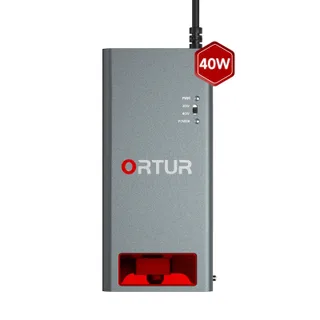 LU3-40A (40W)Read 2026-09-21 | The settings table labels the module by watts without stating a measurement basis. | Electrical input is not listed in the settings table. | 40 W (Ortur, 2026-09-21) |
Material safety statements from the sources
Quoted from laser makers' documents about each material. Not a complete safety procedure.
Plywood
Fire risk, ventilate and check what the material is made of · 5 statements from Creality and Epilog Laser
- Fire: Creality, under “Security Statement”:
But most materials are inherently flammable and can be ignited, which may burn the machine and the surroundings.
(Creality Falcon2 (12W/22W/40W) User Manual, read 2026-09-21) - Fire: Creality, under “Security Statement”:
It is forbidden to leave it unattended while the machine is working.
(Creality Falcon2 (12W/22W/40W) User Manual, read 2026-09-21) - Fire: Epilog Laser, under “Warnings and Recommendations”:
Never operate the laser system unattended.
(Reducing Fire Hazards with your Laser, read 2026-09-21) - Ventilation: Creality, under “Security Statement”:
Smoke or smells may be produced during laser engraving and cutting. It is recommended to operate in a well-ventilated environment.
(Creality Falcon2 (12W/22W/40W) User Manual, read 2026-09-21) - Check the composition: Epilog Laser, under “What happens if you engrave or cut something containing hydrogen or vinyl chloride?”:
To protect your health and the life of your machine, always obtain a MSDS for materials about which you are uncertain.
(Material Safety and your Laser, read 2026-09-21)
The cited safety pages name wood but not plywood or its adhesive; the Creality Falcon parameter rows print Walnut Plywood and Rosewood Plywood without a glue type.
Reviewed 2026-09-21; next review due 2026-12-20.
Wood
Fire risk and ventilate · 5 statements from Creality and Epilog Laser
- Fire: Epilog Laser, under “Warnings and Recommendations”:
Utilizing the Air Assist feature will reduce the instance of flare-ups when working with flammable materials such as acrylic and wood.
(Reducing Fire Hazards with your Laser, read 2026-09-21) - Fire: Epilog Laser, under “Warnings and Recommendations”:
Since most users cut wood and acrylic, these small pieces that fall into the table tray act just like kindling and can ignite and start a fire.
(Reducing Fire Hazards with your Laser, read 2026-09-21) - Fire: Creality, under “Security Statement”:
But most materials are inherently flammable and can be ignited, which may burn the machine and the surroundings.
(Creality Falcon2 (12W/22W/40W) User Manual, read 2026-09-21) - Fire: Creality, under “Security Statement”:
It is forbidden to leave it unattended while the machine is working.
(Creality Falcon2 (12W/22W/40W) User Manual, read 2026-09-21) - Ventilation: Creality, under “Security Statement”:
Smoke or smells may be produced during laser engraving and cutting. It is recommended to operate in a well-ventilated environment.
(Creality Falcon2 (12W/22W/40W) User Manual, read 2026-09-21)
Reviewed 2026-09-21; next review due 2026-12-20.
Common questions
Can I use a row on another machine?
Each row belongs to the stated machine and configuration. A matching wattage or material name does not establish a setting for another machine.
Why are some fields marked not specified?
The publisher’s table prints speed, power and thickness, and sometimes passes, but not air assist, focus or lens. CutChart shows each unprinted field as not specified rather than filling it in.
Why are some combinations absent?
CutChart publishes a row only when its source, exact machine, material, operation and a sourced material-safety statement meet the reference requirements. An absent row is an unknown answer.
Source documents
Sources (4)
Epilog Laser: Reducing Fire Hazards with your Laser (3 excerpts)
Reducing Fire Hazards with your Laser
Publication date not printed by Epilog Laser · Read · Captured
Utilizing the Air Assist feature will reduce the instance of flare-ups when working with flammable materials such as acrylic and wood.
Epilog Laser, Reducing Fire Hazards with your Laser, Warnings and Recommendations. Publication date not printed by Epilog Laser · Read · Captured . Read the named field and section in the cited document. The excerpt alone does not establish a complete cutting procedure.
Since most users cut wood and acrylic, these small pieces that fall into the table tray act just like kindling and can ignite and start a fire.
Epilog Laser, Reducing Fire Hazards with your Laser, Warnings and Recommendations. Publication date not printed by Epilog Laser · Read · Captured . Read the named field and section in the cited document. The excerpt alone does not establish a complete cutting procedure.
Never operate the laser system unattended.
Epilog Laser, Reducing Fire Hazards with your Laser, Warnings and Recommendations. Publication date not printed by Epilog Laser · Read · Captured . Read the named field and section in the cited document. The excerpt alone does not establish a complete cutting procedure.
Epilog Laser: Material Safety and your Laser (1 excerpt)
Material Safety and your Laser
Publication date not printed by Epilog Laser · Read · Captured
To protect your health and the life of your machine, always obtain a MSDS for materials about which you are uncertain.
Epilog Laser, Material Safety and your Laser, What happens if you engrave or cut something containing hydrogen or vinyl chloride?. Publication date not printed by Epilog Laser · Read · Captured . Read the named field and section in the cited document. The excerpt alone does not establish a complete cutting procedure.
Creality: Creality Falcon2 (12W/22W/40W) User Manual (3 excerpts)
Creality Falcon2 (12W/22W/40W) User Manual
Publication date not printed by Creality · Read · Captured
When a laser engraver engraves or cuts materials, it casts a high-density laser beam that heats the surface to vaporize materials without burning them. But most materials are inherently flammable and can be ignited, which may burn the machine and the surroundings.
Creality, Creality Falcon2 (12W/22W/40W) User Manual, Security Statement. Publication date not printed by Creality · Read · Captured . Read the named field and section in the cited document. The excerpt alone does not establish a complete cutting procedure.
14. It is forbidden to leave it unattended while the machine is working.
Creality, Creality Falcon2 (12W/22W/40W) User Manual, Security Statement. Publication date not printed by Creality · Read · Captured . Read the named field and section in the cited document. The excerpt alone does not establish a complete cutting procedure.
11. Smoke or smells may be produced during laser engraving and cutting. It is recommended to operate in a well-ventilated environment.
Creality, Creality Falcon2 (12W/22W/40W) User Manual, Security Statement. Publication date not printed by Creality · Read · Captured . Read the named field and section in the cited document. The excerpt alone does not establish a complete cutting procedure.
Ortur: Ortur LightBurn Material Settings (13 excerpts)
Ortur LightBurn Material Settings
Publication date not printed by Ortur · Read · Captured
Image Mode: Line Speed(mm/m): 250mm Power Min(%): 100 Perform Multiple Passes: 1
Ortur, Ortur LightBurn Material Settings, LightBurn Settings for Cutting. Publication date not printed by Ortur · Read · Captured . Read the named field and section in the cited document. The excerpt alone does not establish a complete cutting procedure.
Image Mode: Line Speed(mm/m): 180mm Power Min(%): 100 Perform Multiple Passes: 1
Ortur, Ortur LightBurn Material Settings, LightBurn Settings for Cutting. Publication date not printed by Ortur · Read · Captured . Read the named field and section in the cited document. The excerpt alone does not establish a complete cutting procedure.
Image Mode: Line Speed(mm/m): 150mm Power Min(%): 100 Perform Multiple Passes: 1
Ortur, Ortur LightBurn Material Settings, LightBurn Settings for Cutting. Publication date not printed by Ortur · Read · Captured . Read the named field and section in the cited document. The excerpt alone does not establish a complete cutting procedure.
Image Mode: Line Speed(mm/m): 120mm Power Min(%): 100 Perform Multiple Passes: 1
Ortur, Ortur LightBurn Material Settings, LightBurn Settings for Cutting. Publication date not printed by Ortur · Read · Captured . Read the named field and section in the cited document. The excerpt alone does not establish a complete cutting procedure.
Image Mode: Line Speed(mm/m): 700mm Power Min(%): 100 Perform Multiple Passes: 1
Ortur, Ortur LightBurn Material Settings, LightBurn Settings for Cutting. Publication date not printed by Ortur · Read · Captured . Read the named field and section in the cited document. The excerpt alone does not establish a complete cutting procedure.
Image Mode: Line Speed(mm/m): 500mm Power Min(%): 100 Perform Multiple Passes: 1
Ortur, Ortur LightBurn Material Settings, LightBurn Settings for Cutting. Publication date not printed by Ortur · Read · Captured . Read the named field and section in the cited document. The excerpt alone does not establish a complete cutting procedure.
Image Mode: Line Speed(mm/m): 300mm Power Min(%): 100 Perform Multiple Passes: 1
Ortur, Ortur LightBurn Material Settings, LightBurn Settings for Cutting. Publication date not printed by Ortur · Read · Captured . Read the named field and section in the cited document. The excerpt alone does not establish a complete cutting procedure.
Image Mode: Line Speed(mm/m): 250mm Power Min(%): 100 Perform Multiple Passes: 1
Ortur, Ortur LightBurn Material Settings, LightBurn Settings for Cutting. Publication date not printed by Ortur · Read · Captured . Read the named field and section in the cited document. The excerpt alone does not establish a complete cutting procedure.
Image Mode: Line Speed(mm/m): 200mm Power Min(%): 100 Perform Multiple Passes: 1
Ortur, Ortur LightBurn Material Settings, LightBurn Settings for Cutting. Publication date not printed by Ortur · Read · Captured . Read the named field and section in the cited document. The excerpt alone does not establish a complete cutting procedure.
Image Mode: Line Speed(mm/m): 1600mm Power Min(%): 100 Perform Multiple Passes: 1
Ortur, Ortur LightBurn Material Settings, LightBurn Settings for Cutting. Publication date not printed by Ortur · Read · Captured . Read the named field and section in the cited document. The excerpt alone does not establish a complete cutting procedure.
Image Mode: Line Speed(mm/m): 1100mm Power Min(%): 100 Perform Multiple Passes: 1
Ortur, Ortur LightBurn Material Settings, LightBurn Settings for Cutting. Publication date not printed by Ortur · Read · Captured . Read the named field and section in the cited document. The excerpt alone does not establish a complete cutting procedure.
Image Mode: Line Speed(mm/m): 700mm Power Min(%): 100 Perform Multiple Passes: 1
Ortur, Ortur LightBurn Material Settings, LightBurn Settings for Cutting. Publication date not printed by Ortur · Read · Captured . Read the named field and section in the cited document. The excerpt alone does not establish a complete cutting procedure.
Image Mode: Line Speed(mm/m): 400mm Power Min(%): 100 Perform Multiple Passes: 1
Ortur, Ortur LightBurn Material Settings, LightBurn Settings for Cutting. Publication date not printed by Ortur · Read · Captured . Read the named field and section in the cited document. The excerpt alone does not establish a complete cutting procedure.
Cite this page: Ortur LU3-40A Settings: 1.6 to 19 mm Rows. CutChart. https://cutchart.com/machines/ortur-lu3-40a/ (sources read 2026-09-21).
Reference information only. Follow the instructions for your exact machine and material. A listed setting does not establish that a job is safe. Read the safety limits.