xTool S1 20W vs 40W: Documented Power Compared
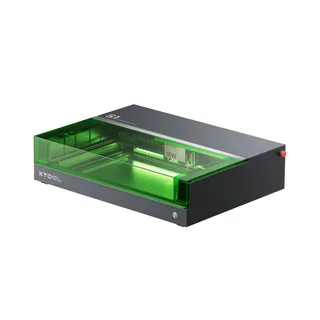
CutChart compares the xTool S1 20W and 40W blue modules on the maximum laser power xTool published at 455 nm, read 2026-09-21: 20 W against 40 W on the same stated basis. The 40W module carries six documented basswood and black acrylic cutting rows, the 20W module four. CutChart has not tested either module.
On this page
Documented facts, side by side
| Documented field | xTool S1 20W blue module | xTool S1 40W blue module |
|---|---|---|
| Laser watts, on the basis printed by the maker | 20 W (Maximum Power (455 nm, continuous wave)) | 40 W (Maximum Power (455 nm, continuous wave)) |
| Electrical input watts | Not published by the manufacturer | Not published by the manufacturer |
| Marketed watts | 20 W (Laser power) | 40 W (Laser power) |
| Rating basis stated by the maker | Maximum laser power at 455 nm; manufacturer specification | Maximum laser power at 455 nm; manufacturer specification |
| Controller | Not published by the manufacturer | Not published by the manufacturer |
| Working area | Not published in the records behind this page | Not published in the records behind this page |
| Price | No verified price record on this site | No verified price record on this site |
Full settings and sources for each machine: xTool S1 20W blue module and xTool S1 40W blue module.
Documented settings coverage
| Coverage | xTool S1 20W blue module | xTool S1 40W blue module |
|---|---|---|
| Admitted settings rows | 4 | 6 |
| Materials with rows | 2 | 2 |
| Operations with rows | cut | cut |
| Thickness range in rows | 3 to 10 mm | 3 to 15 mm |
A row count describes the published tables, not cutting performance.
Who each configuration suits
xTool S1 20W blue module
You want the lower documented maximum power in this S1 pair and its four published cutting rows.
Not a fit when: You need electrical input, price or working area evidence, or a documented figure below 20 W maximum power.
xTool S1 40W blue module
You want the higher documented maximum power in this pair and the thicker basswood rows xTool published for it.
Not a fit when: You need electrical input, price or working area evidence. xTool publishes none of those fields for either module.
What this comparison cannot decide
Neither maker publishes a working area, controller or verified price in the records behind this page, so this comparison cannot rank size, control hardware or value. It also cannot say which configuration cuts faster or cleaner. CutChart has not tested either machine, and the safety limits apply to every material named in the settings rows. Check any watt label with the optical-watt decoder before relying on it.
Common questions
Which of these two should I buy?
This page does not name a winner. It puts the power figures and settings rows each maker published side by side, and marks every field a maker did not publish. A choice that turns on price, working area or controller needs evidence this page does not carry.
Why do the watt figures use different labels?
Each maker prints its own basis. The table keeps the printed label beside the number, so an optical figure is never read as a marketed label, and a marketed label is never read as a measurement.
Where do these figures come from?
From the maker documents listed under Source documents, read on the dates shown there. CutChart has not bought or run either machine, so no figure here comes from firsthand use.
Related references
Source documents
Sources (1)
xTool: xTool S1 LSO Training (1 excerpt)
Publication date not printed by xTool · Read · Captured
Maximum Power | 10 W | 20 W | 40 W
xTool, xTool S1 LSO Training, xTool S1 Laser Standard Operating Procedure (SOP). Publication date not printed by xTool · Read · Captured . Read the named field and section in the cited document. The excerpt alone does not establish a complete cutting procedure.
Reference information only. Follow the instructions for your exact machine and material. A listed setting does not establish that a job is safe. Read the safety limits.